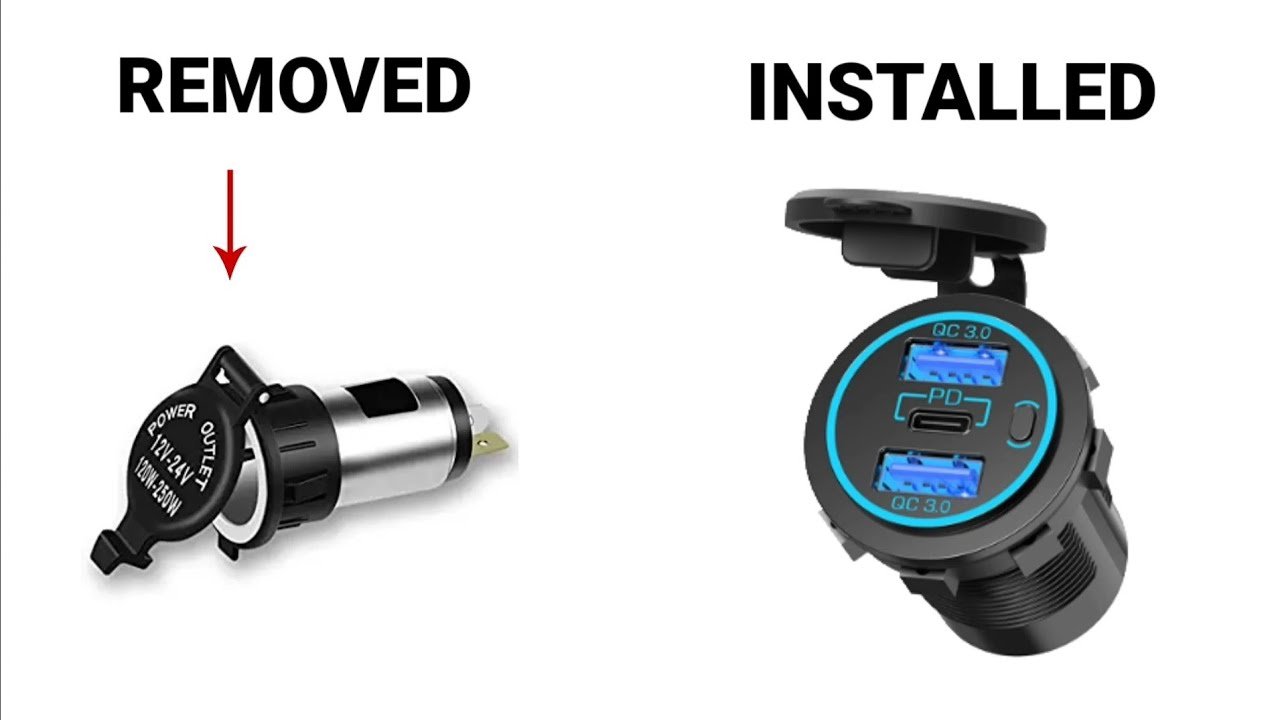
Disconnect the negative terminal of the truck battery to prevent electrical shorts.
Choose a flat, accessible location on the dash or center console for the USB port.
Use a hole saw bit to drill a hole matching the USB socket diameter at the chosen location.
Route a red power wire from the fuse box or accessory power source to the USB socket location.
Route a black ground wire from a clean chassis ground point to the USB socket location.
Strip the wire ends and crimp connectors to attach the power and ground wires to the USB socket terminals.
Install an inline fuse holder on the power wire close to the power source and insert the correct fuse.
Push the USB socket into the drilled hole and secure it using the included nut or mounting hardware.
Reconnect the negative battery terminal to restore power to the truck.
Use a multimeter to verify voltage at the USB socket before plugging in any devices.
Plug in a phone or USB device to confirm the port is functioning correctly.
Use electrical tape to insulate any exposed wire connections.
Secure loose wires with zip ties to prevent rattling or damage.
Double-check all connections for tightness and proper polarity.
Ensure the fuse is rated appropriately for the USB socket’s amperage.
Avoid routing wires near sharp edges or moving parts to prevent wear.
Label the fuse in the fuse box for future reference.
Test the USB port with the engine running to ensure stable voltage.
Reinstall any trim panels removed during installation.
Clean up the work area and dispose of wire scraps safely.