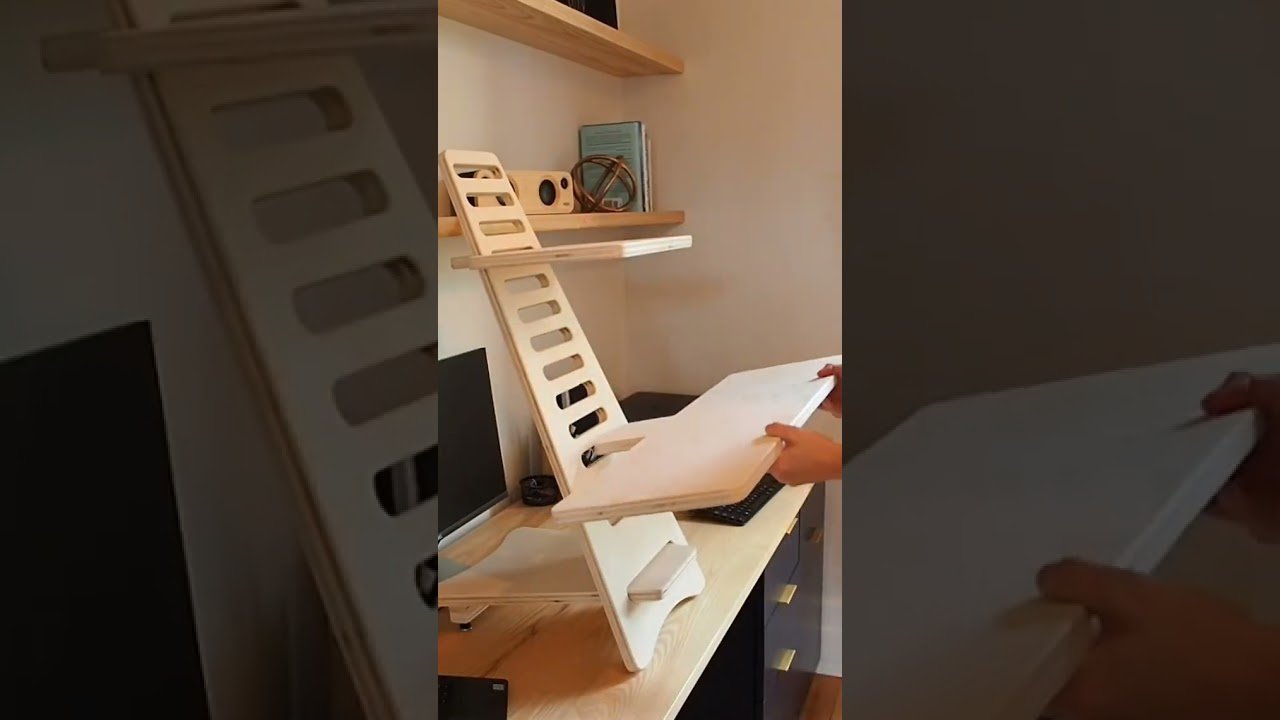
How to Ergonomically Set Up a DIY Standing Desk Converter

Check out your helpful results below!
Jump to a section, or see what you’ll get:
Jump to:
Scroll for the full guide ↓
  • 🎥 A step-by-step video walkthrough
  • 🧰 A tools & supplies checklist
  • 📋 Clear step-by-step instructions
  • ⚠️ Safety notes + pro tips
  • 🧑‍🔧 Connections to local pros (if you want help)

Video

Don't Let This Be You

Estimated Time:

Difficulty:

Tools

    Materials

      Steps

        Safety Notes

          Pro Tips

            Did this tutorial help?

            Send me this Do It Yourself tutorial via email

            Need a pro

            Need a pro?

            Tell us what went wrong and we’ll connect you with a trusted local pro.

            Please enter your name.
            Enter a valid email.
            Enter a valid phone number.
            Enter your ZIP/postcode.
            Pick a trade.
            Tell us a bit about the issue.
            Image must be under 3 MB.
            By sending, you agree to our Terms and Privacy.
            Free quotes No spam Cancel anytime
            diy4uai21-20
            Measuring tape, Screwdriver, Level, Drill, Allen wrench
            Ensure the desk converter is stable and can support the weight of your equipment., Use proper lifting techniques when placing or adjusting heavy components., Secure cables to prevent tripping hazards., Do not overload the converter beyond its rated capacity.
            Measure the height of your current desk from the floor to the surface using a measuring tape. Determine your ideal monitor height so the top of the screen is at or slightly below eye level. Determine the ideal keyboard height so your elbows are at a 90-degree angle when typing. Assemble the standing desk converter according to the manufacturer’s instructions using a screwdriver or Allen wrench. Place the assembled converter securely on top of your existing desk, ensuring it is stable and level. Adjust the monitor stand so the screen is directly in front of you and at the correct height to avoid neck strain. Position the keyboard tray or surface so your forearms are parallel to the floor when typing. Secure all components tightly to prevent wobbling or shifting during use. Place an anti-fatigue mat on the floor where you will stand to reduce strain on your legs and feet. Use cable management clips to route and secure power and data cables neatly behind the desk. Ensure the monitor is about an arm’s length away from your eyes for optimal viewing distance. Check that your wrists remain straight and relaxed while typing to avoid strain. Adjust the mouse position so it is level with the keyboard and within easy reach. Use rubber feet or pads under the converter if needed to prevent slipping or scratching the desk surface. Test the setup by standing and typing for a few minutes to assess comfort and ergonomics. Make small adjustments to monitor tilt and keyboard angle as needed for better posture. Ensure your shoulders are relaxed and not hunched while using the standing setup. Switch between sitting and standing throughout the day to reduce fatigue and improve circulation. Keep frequently used items within easy reach to minimize unnecessary stretching or twisting. Reassess your setup weekly and make ergonomic improvements as needed.

            Standing desk converter platform, Adjustable monitor stand, Anti-fatigue mat, Cable management clips, Rubber feet or pads
            Medium
            Use a monitor arm for more flexible screen positioning., Alternate between sitting and standing every 30–60 minutes., Invest in a quality anti-fatigue mat for long-term comfort., Keep your feet flat and shoulders relaxed while standing., Use a footrest if needed to shift weight and reduce fatigue.
            45
            https://www.youtube.com/watch?v=fkF_o8fCqM8
            if( length(trim() > 0; trim(); "https://youtu.be/9n6em1ZBOvI?si=rWqitTC3UuZtYa7y" )